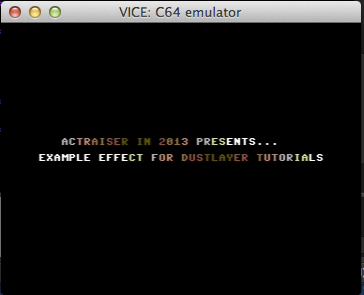
Let's look at the actual sub routine in sub_colorwash.asm which manipulates the first line of text. Every time we execute the routine - which is on every screen refresh - we change the foreground color of all characters in both rows starting at $0590 for the first row and $05E0 for the second row on the screen. In the places where no text is printed we won't see any side effect as there is no character where a foreground color would change anything. So if there is a space character, it will remain black to the viewer's eye though we actually do change the memory location in the process.
The principle of the effect
At first glance the code might confuse because we seem to work on the color table itself and not on the characters in Screen Ram - but this is in fact what we do.
Take a moment to grasp the principle: The foreground color of each of the two rows of text can be manipulated in Color RAM. There is no need to care about the Screen RAM as the actual character codes will not change. To achieve a color cycle effect we need to change foreground color of all our characters in Color RAM with every screen refresh. And for that we basically rotate the values in the color tables and write the updated color information into Color Ram.
Still confused? Let's go through the code.
As you can see, there are two main blocks of code. colwash and cycle1 for manipulating the first row of text where we want the colors to "wash" from right to left and then there is colwash2 and cylce2 with the reverse effect for the second line of text.
There is one not obvious complexity in the code that is due to how I designed the data table for the colors. The two tables are adjacent, that is there are 40 bytes in the first table named color and right after another 40 bytes in the table named color2. The problem with this was pointed out in the blog comments below for an earlier version of this subroutine where I accidentally operated one byte outside the tables.
You may want to read through the blog comments to get the whole picture but the important thing is that we need a temporary location to store one color value while iterating in the process. You will understand in a bit.
Let's focus again and continue to step through the code with the just said in mind.
I will dissect exactly what happens in the first iteration of the loop. We start by initializing the x-register with the number of iterations we need to do. Then, for our first line of text, we load the last color of the first color table, that is the 40th byte - that is position $27/#39 when you count from zero.
Now the actual loop starts. We grab the next color from the end of the color table which is at this point at position #38 and temporarily store it into the y-register. The table location we read that color from is then overwritten with the color that is still stored in our accumulator from the initialization process at start. That would be the color formerly known as color number #40. It is written into Color Ram for the character in column position $27/#39 of the row that starts at Color Ram location $d990. That memory address $d990 maps exactly the color information for our characters in the Screen Ram location starting at $0590. If you check init_static_text.asm, you see that this is exactly the row we use for our first line of text.
So what we did here in the first iteration is to move the color from the formerly 40th position of the color table to the 39th position and before that kept a note of the color that was previously stored at position 39 for later use. That information is now restored using the implicit tya operator which transfers the content of y to accumulator. We can now decrement x and check if we already did 39 iterations. If we did, we only need to write our final 40th color to beginning of our Color Ram of the first line of text at $d990. Thanks to the y-register that final value has been remembered and moved to the accumulator in the last iteration.
That was a bit of heavy stuff, mainly because of the temporary storage strategy. Maybe it clicks when we do the reverse approach for the second line of text. This time we wash our colors from left to right to achieve those sort of rotor-effect in the intro. This requires some minor changes but the principle remains exactly the same.
We don't start at the end but in the beginning of the table, so x-register is initialized with #$00. Accumulator is again initialized wit the last color, this time from the color2 table.. Again we grab the next color and store it temporary in y plus write it into the color2 table overwriting the memory address we just remembered the previous value of. This in turn is again transferred to the accumulator and written into Color Ram, this time two rows lower as our second line of text is located in Screen ram row starting at position $05e0 which has it's Color Ram position starting at $d9e0. In our 39th iteration (starting at 0 that would be $26/#38), we put our final color into the last position in Color Ram. Again this is only possible because we remembered it in the y-register before and moved it to the accumulator in the last iteration step.
We now did the whole round trip for both lines of text!
As a beginner you will need to read the code over and over again probably because it's a bit hard to grasp at first but it will eventually make sense after some time looking at the code and the output.
perfect color cycle example
Using color cycling is a very interesting technique. You can do very simple effects like the one in our intro but also create astonishing visualizations. For some inspiration, please check this awesome color cycle effect implemented by Joseph Huckaby. There are more incredible screens available on this page at Effect Games.